
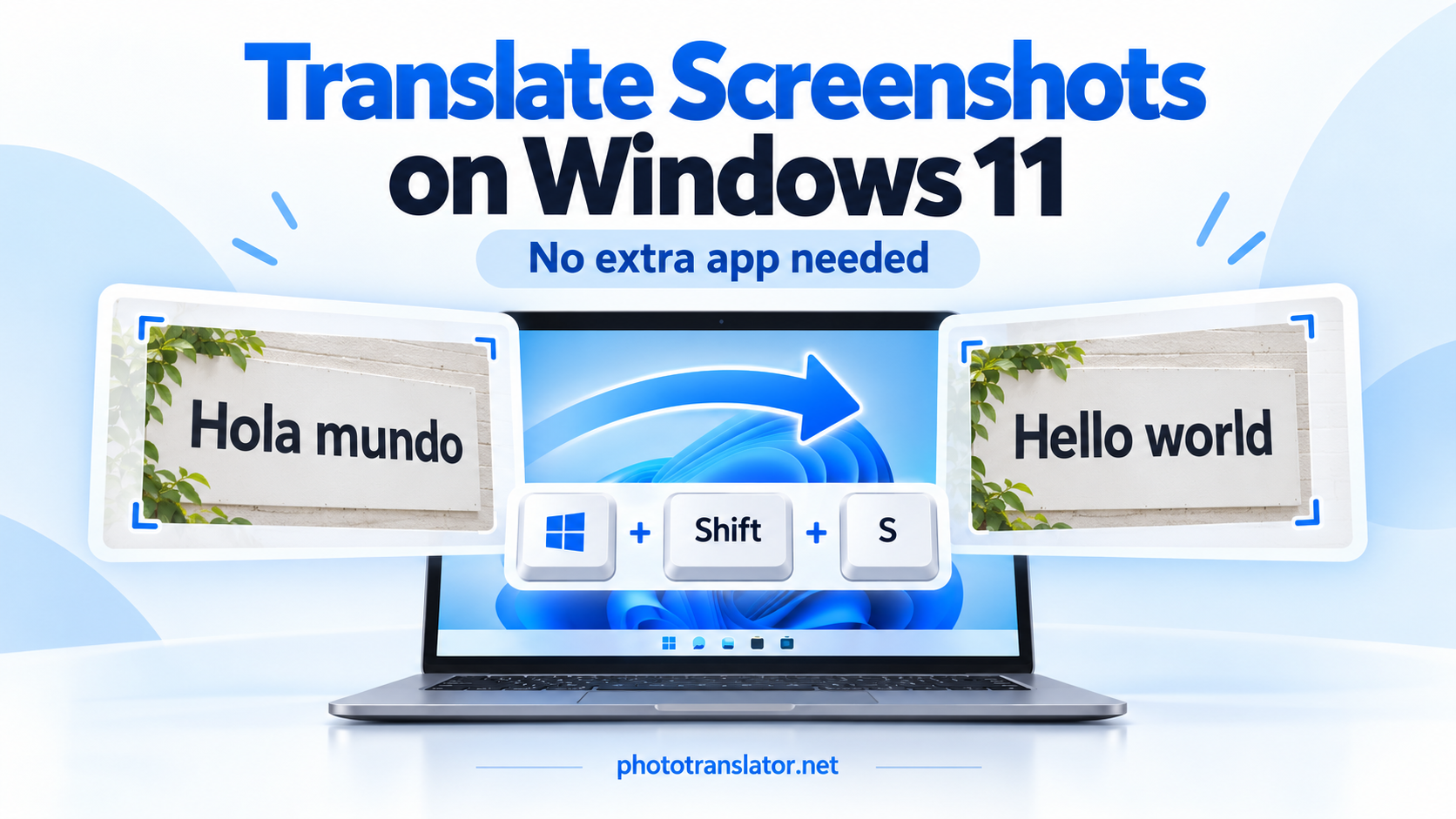
لترجمة لقطة شاشة على نظام التشغيل Windows 11، قم بالتقاط النص باستخدام مفتاحي Windows + Shift + S، واحفظه بتنسيق PNG، ثم قم بتحميله إلى أداة ترجمة لقطات الشاشة عبر الإنترنت. اختر اللغة المصدر واللغة الهدف، ثم انقر على «ترجمة». لا حاجة إلى أي تطبيق ترجمة إضافي أو ملحق متصفح.
This works for text you cannot copy directly, such as a foreign-language app message, a website image, or a scanned PDF page.
1. التقاط لقطة الشاشة وحفظها
Open the message or page you want to translate.
- Press Windows + Shift + S.
- حدد خيار الالتقاط المستطيل.
- Drag around the text you need.
- انقر على إشعار لقطة الشاشة لفتح اللقطة في «أداة القص».
- Press Ctrl + S and save the image as a PNG.
تأتي أداة Snipping Tool مضمنة في نظام التشغيل Windows 11. ويشرح دليل التقاط لقطات الشاشة الصادر عن Microsoft خيارات التقاط اللقطات وحفظها.
أدرج الجملة كاملةً وأي عنوان يوضحها. وفي حالة ظهور رسالة خطأ، احرص على إبقاء رمز الخطأ وتسميات الأزرار ذات الصلة مرئيةً.
Already have a saved screenshot? Skip this step.
2. قم بتحميل الصورة واختر اللغات التي تريدها
Open Photo Translator in your browser.
Click Choose File, select your screenshot, and check the preview. Choose the original language under Source language and the language you want under Translate to.
على سبيل المثال، لترجمة لقطة شاشة باللغة الإسبانية إلى الإنجليزية:
- Source language: Spanish
- ترجمة إلى: الإنجليزية
If you do not recognize the original language, choose Auto Detect. Click Translate and keep the page open while it processes the image.
The tool uses optical character recognition—OCR—to read the text inside the screenshot before translating it.
3. Check the Result and Download It
Read the translation alongside the original. Check names, numbers, dates, and technical terms carefully.
في الاختبار الذي أجريناه على المتصفح، تمت ترجمة صورة PNG باللغة الإسبانية تحتوي على العبارة «El restaurante abre a las ocho» بشكل صحيح إلى «يفتح المطعم في الساعة الثامنة». كما نجح تنزيل الصورة المترجمة.
نتيجة الاختبار الفعلي في المتصفح: نص إسباني مترجم إلى الإنجليزية. يوضح هذا سير عمل تحميل الصور، وليس اختبارًا خاصًّا بنظام ويندوز.
Click Download translated image to save the result.
The page also offers Copy translated text, but that button did not update the clipboard in our test browser. If it does not respond, try selecting and copying the displayed text manually.
For software messages, preserve the original error code when searching for help. Translation explains the wording; it does not diagnose or fix the problem.
إذا لم تتم ترجمة لقطة الشاشة بشكل صحيح
Try these adjustments before uploading it again:
- Enlarge the text before taking the screenshot. Enlarging a blurry image afterward cannot recover missing detail.
- Capture one message at a time. Avoid unrelated panels and small background text.
- Use the original file. Messaging apps can compress screenshots and make characters harder to read.
- Select the source language manually if automatic detection gives an unexpected result.
If the page says “The server is busy. Please try later,” retry later rather than repeatedly clicking Translate.
Actual browser-test error. This request failed, but the message does not establish that WebP files are unsupported.
بديل: استخراج النص أولاً
إذا كان إصدار «أداة القص» (Snipping Tool) الخاص بك يتضمن «إجراءات النص»، فافتح الصورة التي التقطتها واستخدم هذه الإجراءات لنسخ النص الذي تم التعرف عليه. يمكنك بعد ذلك لصق النص في خدمة ترجمة عبر المتصفح.
Microsoft documents this feature in its Snipping Tool instructions. It is useful when you only need translated wording rather than a translated image.
For instructions on other devices, see how to extract text from screenshots on any device.
الأسئلة الشائعة
1. How do I translate a screenshot to English on Windows 11?
Save the screenshot as a PNG, upload it to Photo Translator, choose the source language or Auto Detect, and select English as the target language. Click Translate and review the result.
2. هل أحتاج إلى تثبيت تطبيق أو ملحق للمتصفح؟
No. You can capture the image with Windows 11’s included Snipping Tool and translate it through a website opened in your browser.
3. هل يمكن لأداة «Snipping Tool» ترجمة النص الموجود في لقطة الشاشة؟
تعمل ميزة «إجراءات النص» الخاصة به على استخراج النص من الصورة. وفي سير العمل الموضح هنا، تقوم بنسخ هذا النص واستخدام خدمة منفصلة تعمل عبر المتصفح لترجمته. ويُعد الاستخراج والترجمة خطوتين مختلفتين.
4. Can I translate a screenshot of a scanned PDF?
Yes. Capture the paragraph or page as an image and upload it. This translates the captured content—not the entire PDF. For longer documents, follow our scanned PDF translation guide.
5. Why is my screenshot translation wrong or incomplete?
Small text, blur, compression, cropped sentences, or incorrect language detection can affect the result. Take a clearer capture, include the full sentence, and select the source language manually when you know it.