
You are standing in a street market in Tokyo. Every label, every sign, every menu is in Japanese. Or you are reviewing a product imported from Korea, and the instruction sheet is completely unreadable to you. Maybe a colleague just sent you a scanned document in Arabic, and you need to understand it before the meeting starts.
This is a problem millions of people face every day, and for years, solving it meant tricking multiple apps, creating accounts, and still not getting a clean answer. That is changing fast.
Thanks to AI-powered optical character recognition (OCR) combined with instant translation, reading text from foreign language images now takes seconds, not minutes, and definitely not multiple apps. In fact, the global OCR market is on track to reach $17 billion by 2025, driven largely by demand for exactly this kind of everyday, frictionless text recognition.
In this Blog, you will learn why this problem exists, how modern tools solve it, and what to look for when choosing the right one.
What Does "Reading Text from a Foreign Language Image" Actually Mean?
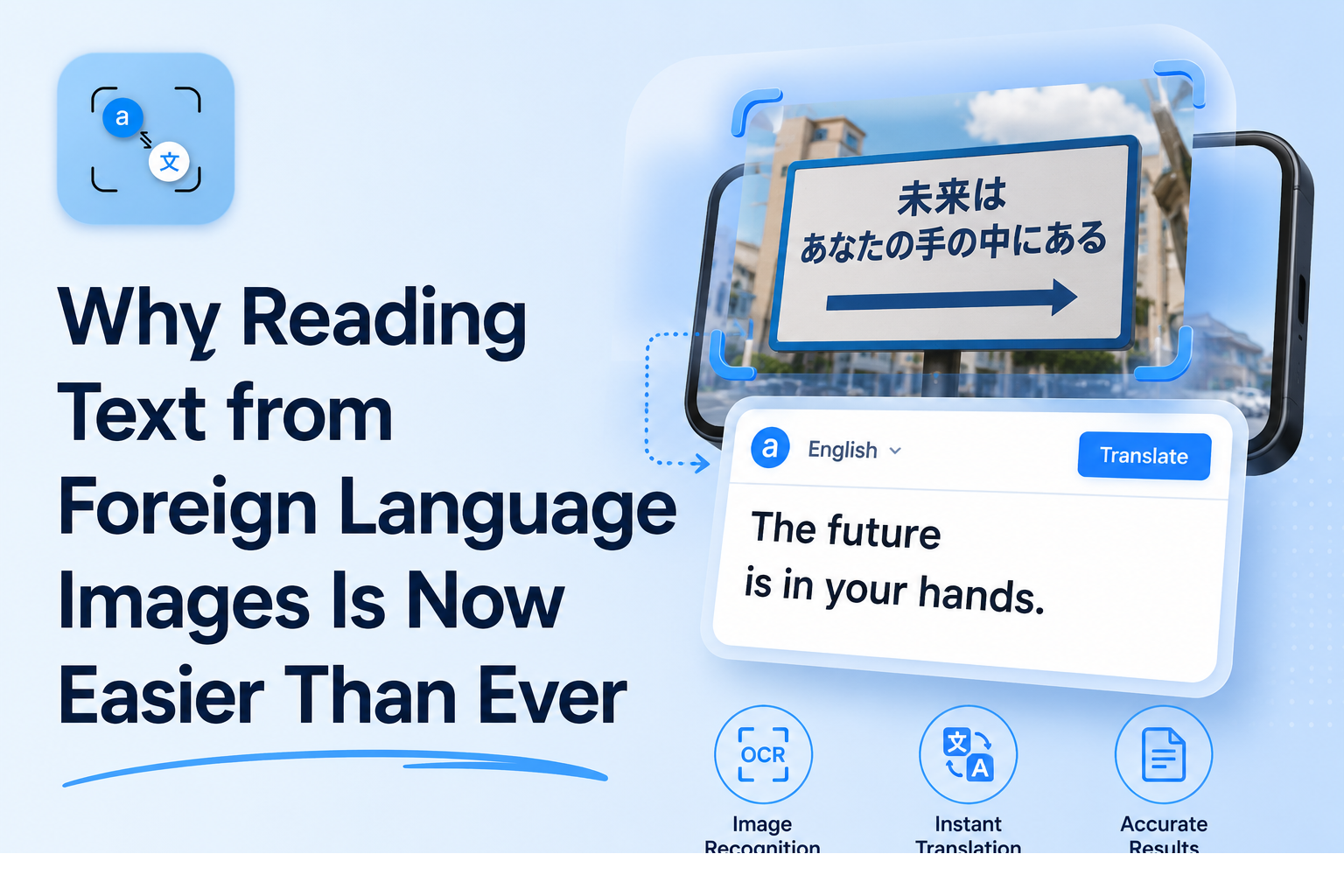
When you photograph a street sign, a restaurant menu, a medicine label, or a handwritten note, you have a picture but no readable, usable text. Reading text from a foreign language image is the process of two things happening together:
Step 1 OCR (Optical Character Recognition): Software scans the image, detects the characters, and converts them into digital text that your device can process.
Step 2 Translation: That extracted text is then converted from the source language into a language you understand.
Most people do not realize these are traditionally two separate processes requiring two different tools. You extract the text in one place, copy it, open a translation app, paste it in, and wait. That is the core friction that makes this whole experience feel harder than it should be.
The ideal solution handles both steps in one place, instantly, with no barriers to getting started.
The Everyday Struggle: Why Most Tools Make This Complicated
If you have ever tried to translate text from an image, you have probably run into at least one of these frustrations:
App downloads.
Many tools only work as mobile apps. If you are on a laptop or desktop, you are stuck. If you are on a phone you have not set up yet, you need to download, install, and configure it before you can do anything useful.
Mandatory sign-ups.
A large number of online image translation tools require you to create an account before you can use them. For someone who just needs to read one label or one sign, that is an unnecessary barrier.
Paywalled OCR.
Some well-known tools, including popular document scanning apps, offer free downloads but lock the actual text extraction behind a paid subscription. You discover this only after you have already invested time setting everything up.
The copy-paste loop.
Even tools that do extract text from images often stop there. You still need to copy that text and open a separate translation service to actually understand what it says.
Privacy concerns.
Uploading photos, uploading screenshots, especially of personal documents, medical labels, or business contracts, to unknown cloud platforms raises a legitimate question: where does that image go, and who can access it?
Each of these friction points turns a simple task into an unnecessarily complicated one. The good news is that all of them are solvable.
How PhotoTranslator.net Solves This in One Step
PhotoTranslator.net was built around a single idea: the gap between "I have an image with foreign text" and "I understand what it says" should be as small as possible.
Here is what makes it different from the typical workflow:
It runs entirely in your browser. There is no app to download, no plugin to install, and no operating system restrictions. Whether you are on a Windows laptop, an iPhone, an Android tablet, or a MacBook, you open the site, and it works.
There is no account required. You do not enter your email, create a password, or confirm anything. You arrive at the site, and you can use it immediately.
It handles OCR and translation together. Under the hood, PhotoTranslator.net is powered by OCR, an AI-based text recognition engine that, in independent research published in 2025, achieved a confidence score of 0.93, outperforming other widely used OCR engines. That extracted text is then translated across 80+ languages in the same session, with no extra step from you.
Your images are never stored. All processing happens in-memory, meaning your photo is used for extraction and translation, then immediately discarded. Nothing is saved to a server. This makes it one of the most privacy-respecting options available for this task.
And it is completely free. No credit card, no free trial, no usage limit that triggers an upsell.
How to Use It: 3 Steps
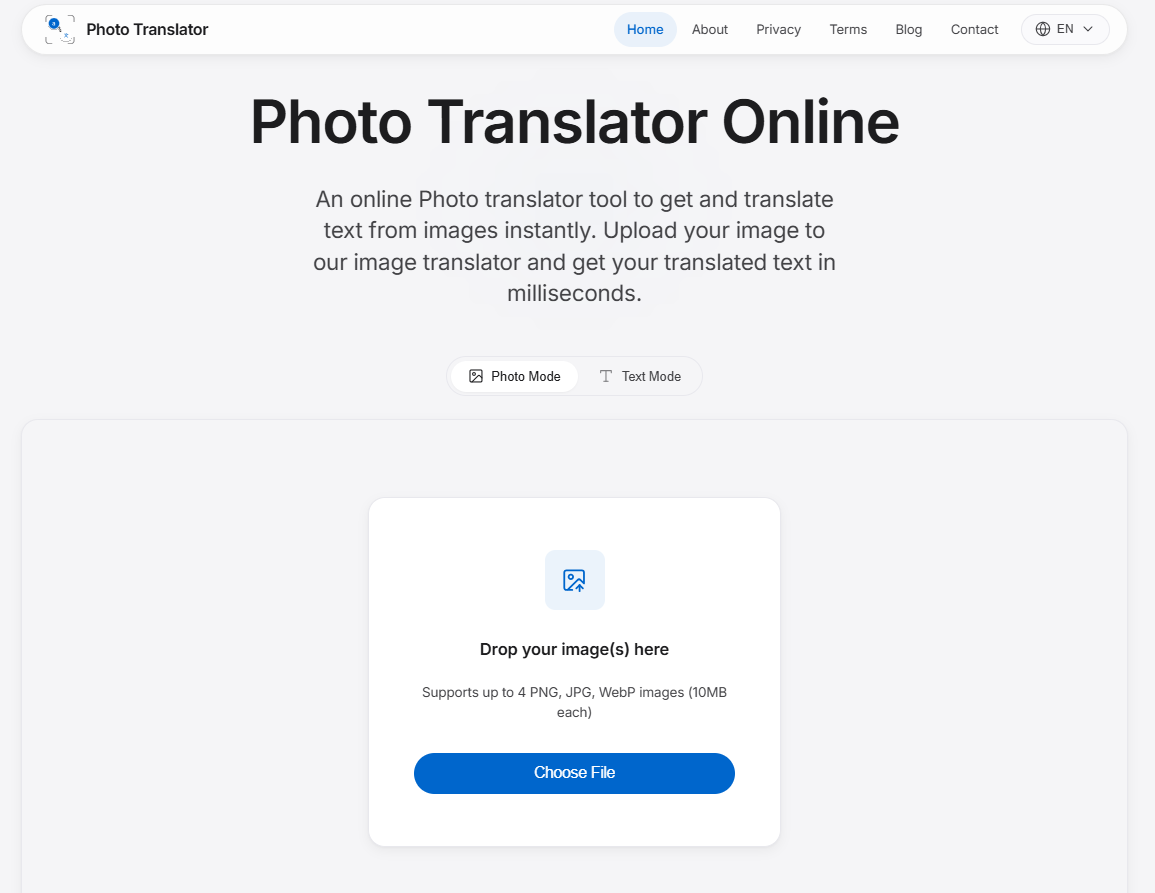
Go to phototranslator.net in any browser.
-
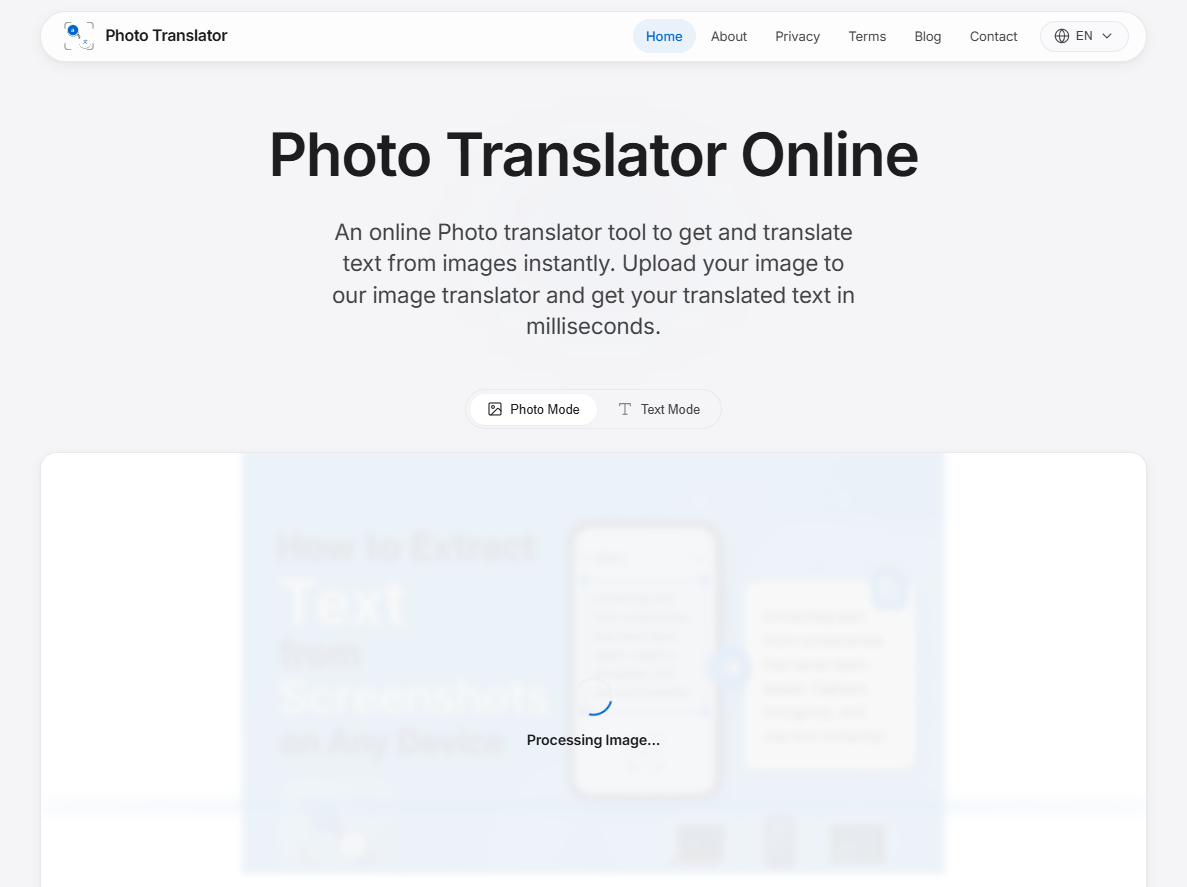
Upload your image, drag and drop it, or select a file from your device.
-
Read your extracted and translated text immediately.
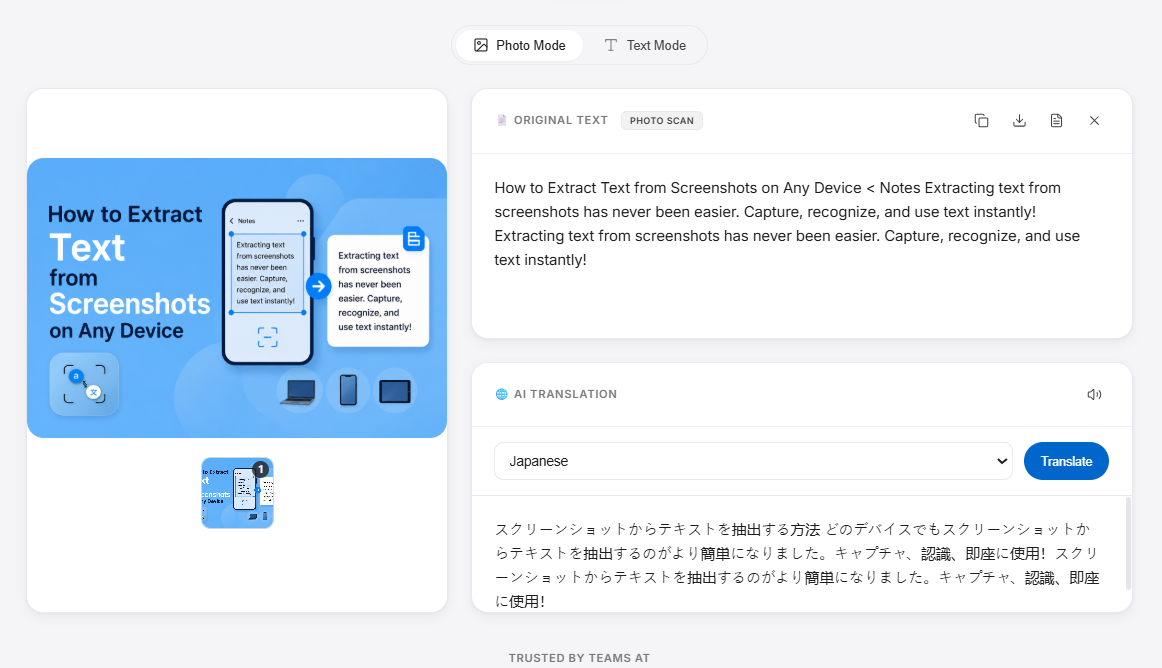
That is it. No waiting screens, no copying between apps, no account prompts.
Real World Situations Where This Makes a Real Difference
Traveling abroad
Foreign menus, hotel signs, transit maps, and local notices become instantly readable. Instead of guessing at what a dish contains or which platform your train departs from, you photograph it and know within seconds.
Reading foreign product labels
Imported skincare, supplements, food products, and electronics often have instructions or ingredient lists only in the manufacturer's language. A quick upload tells you exactly what you are looking at, useful for allergy checks, usage instructions, or customs information.
Students working with foreign-language materials
Whether it is a scanned academic article, a foreign-language textbook, or research materials from an international source, students can extract and understand text from images without manually typing out every word for translation. Language learners can also use it to check their own comprehension against an accurate translation. For a deeper language learning context, resources like the Babbel Magazine offer excellent supporting material on language study techniques.
Business documents and contracts
Receiving a scanned agreement, invoice, or correspondence in another language is increasingly common in international business. A fast translation from an image gives you the overview you need to decide your next step, whether that is moving forward or escalating to a professional translator for formal use. For understanding when professional translation is necessary, the American Translators Association is a reliable resource.
Social media and online content
Posts, screenshots, memes, and shared images in foreign languages appear constantly across platforms. Instead of scrolling past content you cannot understand, you can extract and translate it in moments.
What Makes a Good Foreign Language Image Reader? A Practical Checklist
Not all tools in this space are built equally. Before committing to any option, here are five criteria worth checking:
1. No sign-up required. If a tool asks for your email before you can use it, that is friction added for the tool's benefit, not yours. The best tools work instantly.
2. Browser-based. A tool that works in any browser is a tool you can use on any device, anywhere. App-only tools exclude desktop users and require setup time.
3. OCR and translation combined. If a tool only extracts text but does not translate, you still need a second tool. True one-stop solutions do both together.
4. Clear privacy policy on image handling. Your photos may contain sensitive information. Any trustworthy tool should be explicit about whether images are stored, for how long, and why. In-memory processing with no storage is the gold standard.
5. Multi-language support. The more languages the tool supports for both recognition and translation, the more broadly useful it is. Look for support across major world scripts, not just Western European languages.
Tips to Get the Best Results from Any Photo Translator
Even the most accurate OCR engine has limits. The quality of your input image is the single biggest factor in the quality of your output text. Here are practical ways to improve your results:
Use good lighting. Shadows across text, glare from a phone flash, or dim indoor lighting all reduce text clarity. Natural light or even diffused artificial light gives the clearest results.
Keep the camera straight. Angled or tilted shots skew the text. Holding your phone directly above and parallel to the document gives OCR software the clearest reading angle.
Aim for at least 300 DPI on scanned documents. For photos taken with a phone, this is handled automatically by most modern cameras, but for scanned files, resolution matters. According to current OCR benchmarks, high-resolution inputs can push accuracy rates above 98.5% for printed text.
Avoid motion blur. Tap to focus before capturing rather than snapping quickly. A sharp image makes a significant difference for dense or small text.
Crop tightly to the text area. The less background noise in your image, the more efficiently the OCR engine focuses on what matters. Many phone cameras let you crop before uploading.
Use PNG rather than heavily compressed JPG where possible. PNG preserves image quality better than compressed formats, which can introduce visual artifacts around characters, especially at small font sizes.
For a deeper technical look at how OCR accuracy is measured and improved, AIMultiple's OCR accuracy benchmark is a well-maintained, regularly updated reference.
Frequently Asked Questions
Q: How do I read text from a photo in a foreign language for free?
A: The simplest way is to use a browser-based tool that combines OCR and translation in a single step. Upload your image, and the tool extracts the text and translates it automatically. No payment, no account, and no app installation required.
Q: Can I translate text from an image without downloading an app?
A: Yes. Browser-based tools work directly from any device, phone, tablet, or computer without any installation. This is the fastest way to get a translation from an image when you do not have a dedicated app already set up.
Q: What is the easiest way to translate a photo of text online?
A: Upload the image to a tool that handles both OCR (reading the text) and translation (converting it to your language) in one place. Tools that separate these steps require extra effort. The ideal workflow is: upload image → select your language → read the result.
Q: How accurate is OCR for foreign language images?
A: For clear, high-resolution images of printed text, modern OCR engines achieve accuracy rates of 98–99%, according to 2025 benchmark data. Accuracy is lower for handwritten text, small fonts, or low-quality images. Improving your image quality, better lighting, less blur, and higher resolution is the most reliable way to improve extraction accuracy.
Q: Is it safe to upload my photos to an online photo translator?
A: It depends on the tool. Always check whether the service stores your images after processing. Tools that use in-memory processing — where your image is used only for that session and then discarded without being saved to any server — offer the strongest privacy protection. Avoid tools with vague or absent privacy policies.
Q: Can I translate a photo of a menu, sign, or document instantly?
A: Yes. Photo translation tools that combine OCR and translation are specifically designed for exactly these use cases. A photo of a restaurant menu, a street sign, a product label, or a scanned document can be translated in seconds, with no manual retyping required.
Final Thoughts
Reading text from foreign language images used to require patience, multiple tools, and often a paid subscription just to get started. The technology has moved well past that point.
Today, a browser, an image, and the right tool are all it takes. If you want to skip the friction entirely, no account, no app, no waiting, PhotoTranslator.net is worth bookmarking for the next time a foreign language label, sign, or document lands in front of you.
References:
1. Babbel Magazine — Language Learning Resources.
https://www.babbel.com/en/magazine
2. American Translators Association (ATA).
https://www.atanet.org
3. AIMultiple. "OCR Accuracy Benchmark."
https://aimultiple.com/ocr-accuracy