
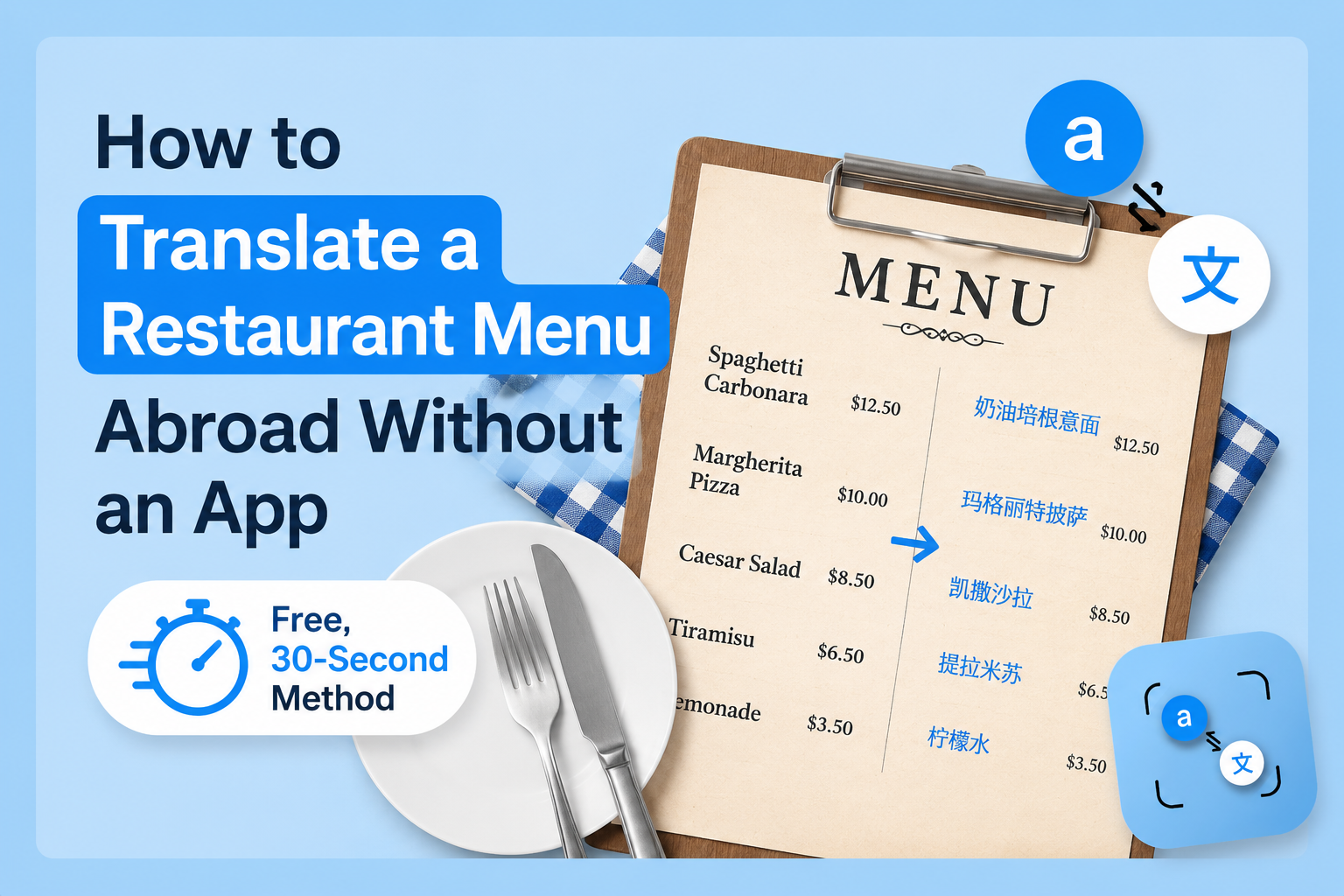
You sit down at a restaurant in Bangkok, Kyoto, or Naples. The menu arrives. Every word is in a language you don't speak, no pictures, no English section, no helpful waiter nearby. Your phone has 12% battery and you'd rather not spend three minutes downloading yet another app.
Here is the fastest method that actually works: photograph the menu, upload it to a browser-based photo translator, and have the full translation in under 30 seconds. No app. No account. No battery drain from a new install.
This guide covers exactly how to do it plus what works best for specific countries, how to handle food allergy situations, and when your phone's built-in tools are good enough.
The Fastest Way to Translate a Restaurant Menu Abroad
Open your phone browser and go to phototranslator.net. Tap the upload button, take a photo of the menu, select your language, and hit translate. The full text comes back in seconds extracted, translated, and readable.
That's the method. Everything below makes it work better in specific situations.
No app download means no storage permission prompts, no sign-in screens, and no waiting for installation on a slow café Wi-Fi connection. The tool runs entirely in your browser and processes images without storing them useful when you're photographing a menu at a private restaurant or a local spot that might feel uncomfortable with you scanning their materials.
Why Most Travellers Still Struggle With Foreign Menus
The obvious answer seems to be Google Translate, which points your camera at the text, and it overlays a translation. For street signs and simple labels, this works well. For a dense restaurant menu with dish names, cooking methods, regional ingredient terms, and handwritten specials, it's less reliable.
The problem isn't the translation engine. It's the OCR layer underneath. Live camera translation processes a moving, often poorly-lit image in real time. A dedicated photo upload tool processes a still, full-resolution image which means it reads the text more accurately before the translation even begins.
We covered this difference in detail in our comparison of Google Lens vs photo translation tools. The short version is that for uploaded images and documents, a browser-based tool consistently outperforms live camera mode.
How to Translate a Menu Photo Online Step by Step
Step 1: Take the photo properly. Lay the menu flat if possible. Get the full page in frame rather than section by section. The tool handles full pages well and you'll get context for the whole menu at once. Decent lighting matters more than camera quality. Near a window or under restaurant lighting is usually enough.
Step 2: Open your browser and go to phototranslator.net. No download. No account creation. The upload button is on the home screen.
Step 3: Upload the photo. Tap upload, select the menu photo from your camera roll. If you just took it, it'll be the most recent image.
Step 4: Select your target language. Choose English, or whichever language you read. The tool supports 80+ languages on both the source and target side.
Step 5: Read the translation. The extracted text appears alongside the translation. You can copy sections, read through the full menu, or tap back and upload a second page.
Total time from photo to translation: under 30 seconds on a normal mobile connection.
Translating Menus by Country What to Know
Japan
Japanese menus are one of the harder cases for live camera tools because they mix three writing systems hiragana, katakana, and kanji sometimes in the same dish name. A still-image upload handles this better than live AR overlay because it processes the full character set from a clear image rather than a moving frame.
Many Japanese restaurants also have plastic food displays outside or picture menus inside. If yours doesn't, the photo upload method works well even on handwritten specials boards, though handwritten Japanese is the most error-prone input for any OCR tool. For printed menus, accuracy is high.
Italy and France
Menus here are often printed in a single language with zero concession to tourists — especially outside the major cities. The challenge isn't the script (Latin alphabet reads cleanly) but the terminology. Regional dishes, local ingredient names, and cooking method terms don't always translate literally.
For Italian and French menus, the translation you get will be accurate but may still leave you wondering what "trippa alla romana" actually tastes like. Use the translation to identify the core ingredient and cooking method, then search that dish name if you want more context. According to UNESCO's intangible cultural heritage documentation, many traditional regional dishes have names that predate standardised culinary terminology; no translation tool will fully bridge that gap.
Thailand and Southeast Asia
Thai script translates cleanly from a good photo. The bigger challenge is that street food menus and market stalls are often handwritten on chalkboards in very informal shorthand. If the text is printed, photo translation works well. If it's handwritten on a plastic sign, results will vary taking the photo from directly in front, not at an angle.
For food allergy menu translation specifically in Thailand, don't rely solely on a translation tool. Thai cooking uses fish sauce, shrimp paste, and peanuts extensively often in dishes where the menu description wouldn't indicate it. The translation gives you the dish components; always follow up with the restaurant directly for allergy confirmation.
China
Chinese menus are where photo translation earns its keep most dramatically. A menu in simplified or traditional Chinese with no pictures is essentially unreadable to a non-speaker, and live camera tools often struggle with the density of characters on a full menu page.
Upload a clear photo of the full page and the translation comes back accurately for printed text. If you're eating at a local restaurant where the menu is a laminated single sheet common in smaller cities one photo covers the whole thing.
Food Allergy Menu Translation A Specific Warning
Photo translation is a useful first layer for identifying allergen-containing ingredients in a foreign menu. It is not a safe final layer. Here's the practical approach:
Use the translation to identify dishes that are clearly likely to contain your allergen if you see "peanut sauce," "shellfish broth," or "dairy cream" in the translation, that's useful information. But cross-contamination, unlisted ingredients, and kitchen practices won't appear in any menu translation.
The World Allergy Organization recommends that travellers with serious food allergies carry an allergen card printed in the local language a physical card that lists specific allergens to avoid. Use your menu translation alongside this, not instead of it.
How to Order Food in a Foreign Country Without Speaking the Language
Menu translation solves the reading problem. Ordering is a separate challenge.
Point and confirm. After translating the menu, identify 2-3 dishes you want, then point at the original menu text when ordering. The staff sees what you're pointing at even if you can't say it.
Show the translation screen. Turn your phone toward the waiter showing the translated dish name alongside the original. Most restaurant staff in tourist-adjacent areas recognise this immediately.
Use numbers. Many restaurants number their menu items. "Number 14 and number 7" crosses language barriers cleanly.
Take a photo of what others ordered. At local spots in Asia especially, pointing to a dish already on someone else's table is universally understood and often gets you the freshest version of whatever they're eating.
What About Offline Situations No Data Abroad?
If you're in an area with no mobile data and no restaurant Wi-Fi, a browser-based photo translator won't work; it requires a connection to process the image.
In that situation: Google Translate with a pre-downloaded language pack works offline for live camera translation. Download it before you leave your hotel. It won't be as accurate on dense menus as an online tool with a clear uploaded image, but it works without data.
The practical travel habit is to use the browser upload method when you have a connection which covers the vast majority of restaurant situations and keep Google Translate's offline packs as a backup.
FAQ
Q: Can I translate a menu without downloading an app?
A: Yes. Open any browser on your phone, go to phototranslator.net, photograph the menu, and upload the image. The full translation appears in under 30 seconds. No app download, no account, no sign-in required.
Q: What is the best way to translate a menu abroad?
A: For printed menus, uploading a clear photo to a browser-based photo translation tool gives the most accurate result. It processes a still, full-resolution image rather than a moving camera feed, which produces cleaner text extraction before translation. For quick checks of simple menus, your phone's built-in Live Text (iPhone) or Google Lens (Android) works without any extra steps.
Q: How do tourists read menus in Japan?
A: Most tourists in Japan use one of three methods: photo translation apps, Google Lens live camera mode, or restaurants with picture menus. Of these, uploading a clear photo to a translation tool works best for dense printed Japanese menus that mix kanji, hiragana, and katakana live camera mode struggles more with the mixed character sets. Many restaurants in Tokyo and Kyoto also offer English menus on request, though smaller local spots rarely do.
Q: How do tourists read menus in Italy?
A: Italian menus use the Latin alphabet, so any translation tool reads them cleanly. The challenge is culinary vocabulary regional dish names and traditional preparations don't always translate literally. Upload the menu photo, get the base translation, then search the dish name directly if you want to understand exactly what it is before ordering.
Q: How do tourists read menus in Thailand?
A: Printed Thai-script menus translate accurately through a photo upload tool. Handwritten menus and chalkboard specials are harder for any OCR tool to read cleanly. Take the photo straight-on, in decent light, and as close as the full menu page allows. For allergy concerns, always follow up verbally or with an allergen card don't rely on the translation alone.
Q: How do I translate a Chinese menu from a photo?
A: Take a clear, flat, well-lit photo of the menu page the whole page if it fits in frame. Upload it to phototranslator.net, select Chinese (Simplified or Traditional depending on where you are) as the source language, and English as the target. Printed Chinese menus translate with high accuracy. Handwritten menus are harder for any tool to parse reliably.